Plugin version 1.7.1 GPL licensed

Product Video for WooCommerce

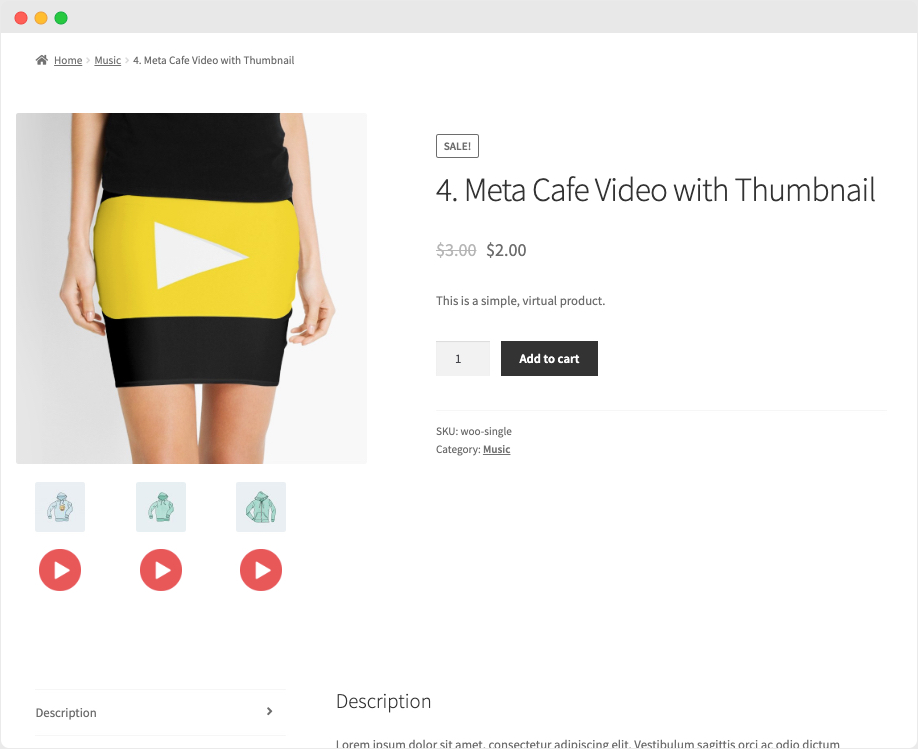
You can add videos to your product pages with the WooCommerce Product Video plugin. Videos from Youtube, Vimeo, Dailymotion, Metacafe or Facebook can be uploaded or embedded. In your product…
v1.7.1
You can add videos to your product pages with the WooCommerce Product Video plugin. Videos from Youtube, Vimeo, Dailymotion, Metacafe or Facebook can be uploaded or embedded. In your product gallery, include a featured product video or have several videos.
On listing pages, you can view featured videos and customize thumbnails of videos. The key features of this Product Video plugin are below.
WooCommerce Product Video List of Features
On any product page, attach videos to
Add a featured video for a product
In the product gallery, add several videos to
In-Popup From Website or Full-Screen Play Videos
Upload or insert Youtube videos & other popular websites
Change video width and height for both store and product pages
Extensive embedded & self-hosted video setups
Add video thumbnails
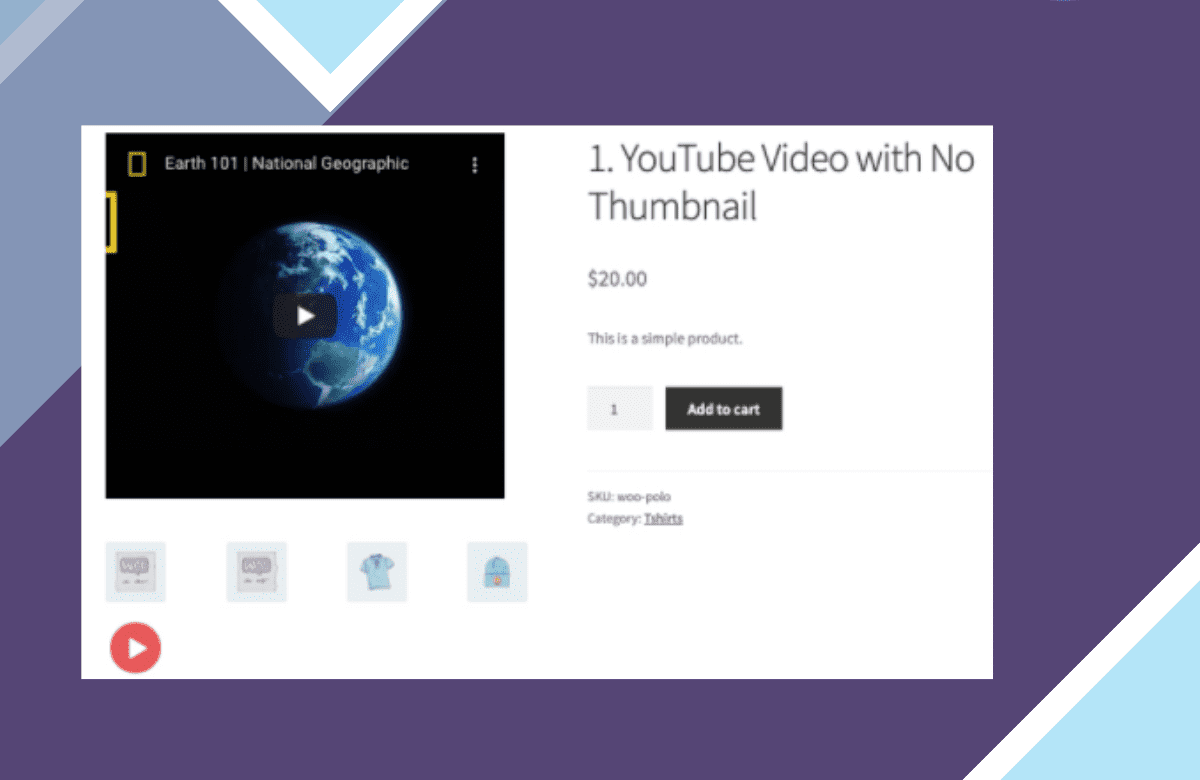
Add Featured Video Product:
The extension of WooCommerce Product Videos allows you to substitute a video for the featured product images. It is possible to play featured videos in a popup or from the same tab. You may add a featured video of a WooCommerce product precisely from the back office product edit tab.
Add Featured Video Product
Add Product Gallery Videos:
With this plugin, along with your photos, you can also add videos to the WooCommerce product gallery. To convey a message before users click to play a video, customize the thumbnail for each product gallery video.
Featured videos on pages of listings:
You can opt to reveal or remove from the listing pages any featured videos. If the administrator has configured the video to be shown only on the product page, the plugin would automatically show the existing featured clip on the listing page.
Photos Upload or Embed:
You can choose to upload or embed videos from popular websites, including
From Youtube
To Vimeo
DailyMotion
To Twitter
Metacafé
By default, you can upload videos in any format, such as MP4, MKV, AVI, MOV, FLV, WMV, and many more, with the WooCommerce Video Product plugin.
Thumbnail Customize:
You may opt to add a custom thumbnail for each video that you upload or connect. In an enticing popup, the videos with the custom thumbnails are played.
In a Popup, play videos:
The extension of WooCommerce Product Video comes with an enticing popup that enables you to play videos in a lightbox. You can still play videos from the gallery in a pop-up, customize or use the default thumbnail image.
Play Page Videos:
Instead of playing them in a pop-up, you can choose to play featured videos from your page. By clicking the “full-screen” button, clients will see the full-screen video. Only featured videos without a thumbnail are played from the tab, while videos with thumbnails are played in the pop-up automatically.
Multiple Items connect a Gallery Video:
You may opt to connect it to several items at once when adding a new video gallery. However you can add it from each product page to the featured video.
Setup Choices For Product Videos:
This video plugin product provides you with comprehensive configuration options for self-hosted and third-party files.
Self Hosted Featured Video Configurations:
For featured videos uploaded from your local disk, you can configure the following options:
Enable/ Disable Video Auto Play
Loop Play
Video with Auto Mute
Show/Hide controls on video
Adjust the width & height of the video for product and shop pages
Change the width of the video in px by percentage and height
Video Settings self-hosted
Setup Options for Embedded Videos:
Addify provides you with different settings for featured and gallery videos embedded from third-party websites with this WooCommerce Product Videos plugin.
Product Video for WooCommerce screenshot
Product Video for WooCommerce — screenshot

What are nulled items, and why Product Video for WooCommerce here is the right choice?

All “nulled” means is that the item is preactivated and ready to be used the moment you install it. License notices, if any appear, can simply be ignored — they change nothing about how Product Video for WooCommerce runs. License keys are only ever required for support from the original author, which is of course not included here.

Every item advertised on our site is 100% safe. Each file is tested and verified by three separate anti-virus and anti-malware programs before it is ever listed, and re-checked on every new version we publish.

  • Preactivated on install — nothing to enter, nothing to configure
  • Original developer files, unmodified and complete
  • Scanned by three anti-virus and anti-malware tools
  • Distributed under the GPL, the licence WordPress itself uses

Get Product Video for WooCommerce now

Version 1.7.1, preactivated and ready to install.

Download now

More plugins

Browse all →
Product Video for WooCommerce
v1.7.1 · preactivated
Download